
Car Dashboard
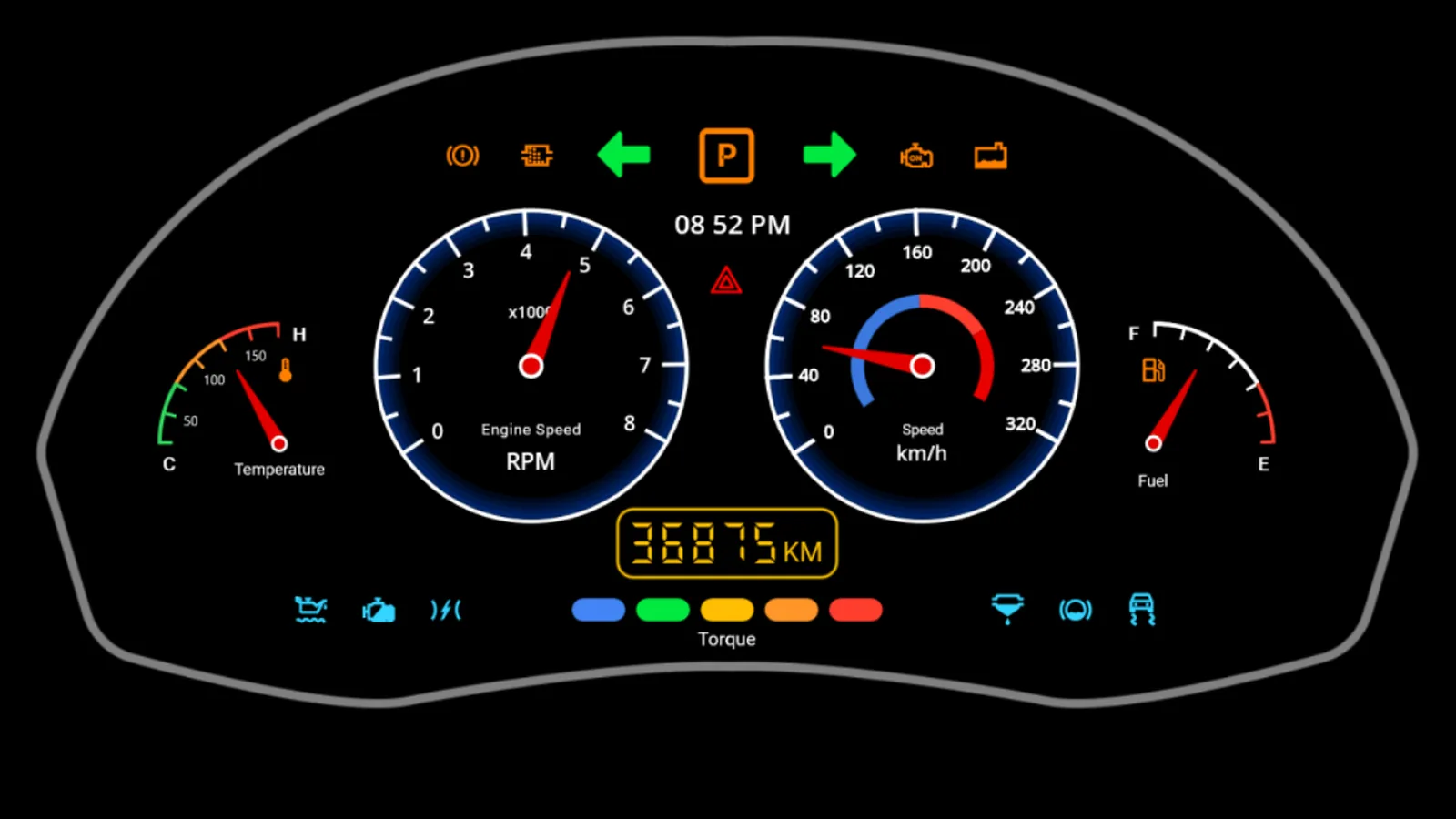
Display real-time vehicle metrics, including speed and performance indicators, on an interactive automotive dashboard. Built with Gauges for clear, at-a-glance driving data.
Components used
Available source platforms
Source code is available for the following platforms. Explore the full repository separately.


Overview
Business problem
Vehicle monitoring systems must present real-time metrics clearly, but many dashboards struggle with legibility and fast interaction in mobile or embedded displays.
- Drivers and operators need instant access to key performance indicators
- Dashboard displays must balance detail with readability
- Interactive controls should be responsive and easy to use on touch devices
- Real-time telemetry needs clear visual cues for safer decision making
Application goal
Demonstrate a polished automotive dashboard using Syncfusion gauges that makes vehicle metrics easy to understand and interact with.
- Display speed and engine data with precision gauges
- Provide a responsive UI for touch and desktop usage
- Support quick mode switching with tabs and popups
- Highlight critical alerts through gauge indicators
Target users
Designed for automotive developers, fleet managers, and product teams building vehicle monitoring dashboards on .NET MAUI and WPF.
- In-vehicle infotainment developers
- Fleet operations teams
- Device UI designers
- Embedded systems integrators
- Anyone building real-time monitoring dashboards
Business value demonstrated
Shows how gauge-based dashboards improve situational awareness for vehicle performance and support better operational control.
- Faster recognition of speed and engine state changes
- Clearer visualization of critical vehicle metrics
- Improved user interaction with modern dashboard controls
- Stronger data-driven insights for automotive applications
Main workflows
Key workflows supported by the Car Dashboard application.
- Monitor vehicle speed, RPM, and fuel levels in real time
- Switch between dashboards and metric views with tabs
- Open popups for detailed diagnostics and alerts
- Review performance trends through gauge visualizations
- Use the interface for both mobile and desktop dashboard scenarios