
Python Document Classification and Conversion
Classify Word, Excel, and PowerPoint files, convert them to PDF, or watermark a PDF from a Python web application. Built with Word, Excel, PowerPoint, and PDF libraries for high-fidelity processing.
Available demo platforms
A live demo is available for JavaScript.

Components used
Available source platforms
Source code is available for the following platforms. Explore the full repository separately.
Overview
Business problem
Teams that rely on Python-based services still need to touch Office and PDF documents—classifying them, converting them, or protecting them—without adding a heavyweight Office automation stack or asking end users to install anything.
- Python back ends have no native, high-fidelity way to edit Word/Excel/PowerPoint files or manipulate PDFs
- Desktop Office automation is fragile, licensing-heavy, and unsuitable for server workloads
- Users should not need local software just to classify, convert, or watermark a document
- Document processing needs to be isolated per request so one failing job cannot affect others
- Simple internal tools still require accurate, enterprise-grade conversion and formatting fidelity
Application goal
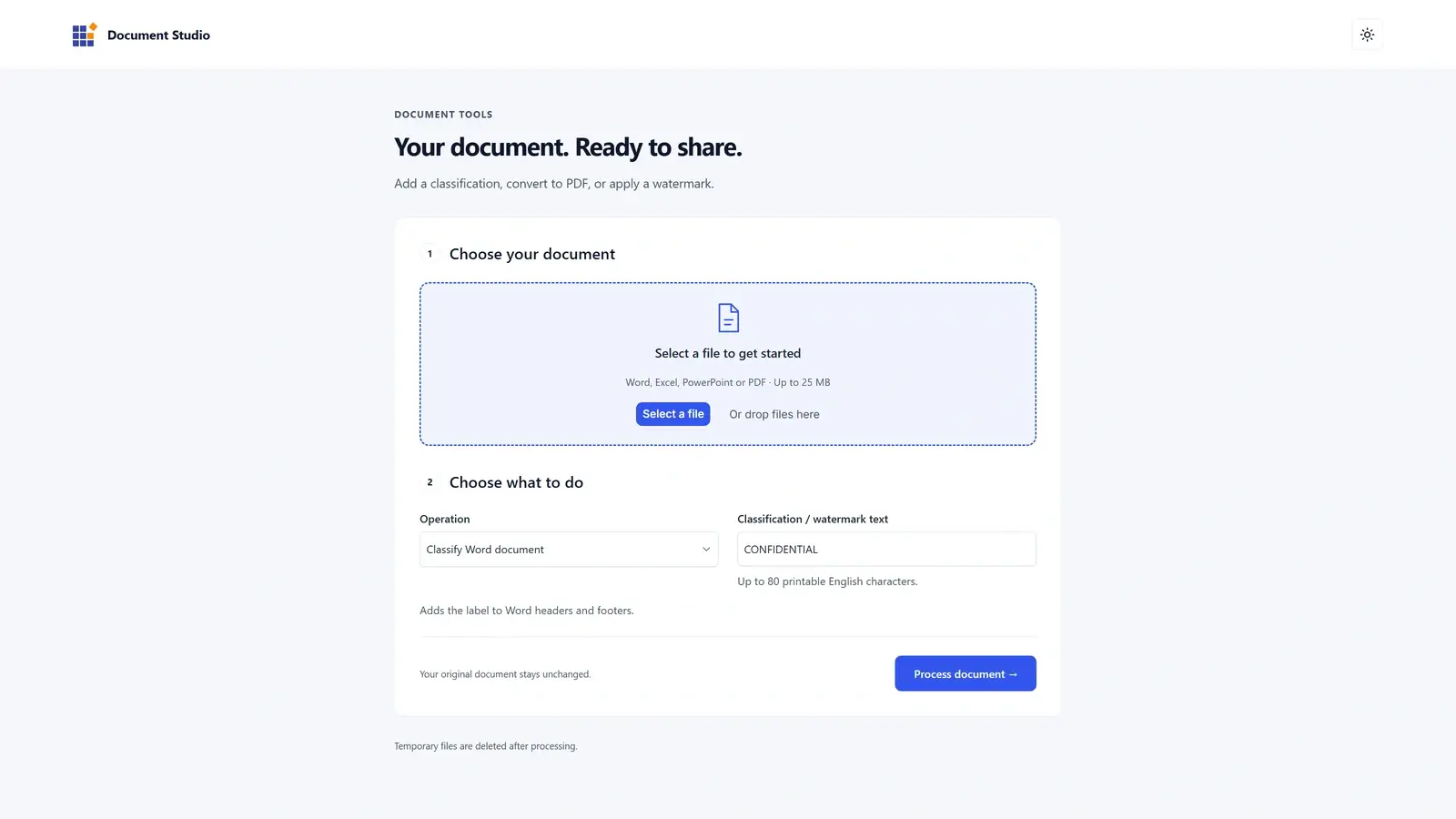
Provide a minimal, single-page web tool that lets anyone upload a document, choose an operation, and download the processed result—while the heavy document processing runs through Syncfusion libraries in an isolated worker process.
- Accept Word, Excel, PowerPoint, and PDF uploads through a simple browser form
- Add classification labels to Word, Excel, and PowerPoint headers/footers
- Convert Word, Excel, and PowerPoint files to PDF
- Apply text watermarks to existing PDF files
- Run each document-processing request in its own short-lived worker process
Target users
Built for teams that operate Python services and need dependable document processing without adopting a full Office automation platform.
- Python/FastAPI development teams adding document features to existing services
- Internal tools and IT teams building lightweight document utilities for staff
- Compliance and records teams needing quick classification stamps on documents
- Operations teams that need ad-hoc Office-to-PDF conversion without desktop software
- Architects evaluating a browser → Python → .NET worker pattern for document processing
Business value demonstrated
Shows how Syncfusion Document Processing libraries can be embedded into a non-.NET stack through a simple process boundary, without sacrificing conversion fidelity.
- Polyglot architecture: a Python web front end delegates document work to a .NET worker over standard input/output
- No database or job queue is required for a functional document utility
- Per-request worker isolation keeps failures contained and avoids shared server-side state
- High-fidelity conversion and watermarking powered by Syncfusion Document Processing libraries
- Deployable to Linux hosts, including Azure App Service for Linux, with no Docker image to maintain
Main workflows
Core workflows supported by the Python Document Classification and Conversion application.
- Select a Word, Excel, PowerPoint, or PDF document to upload, up to 25 MB
- Choose an operation: classify Word/Excel/PowerPoint, convert Word/Excel/PowerPoint to PDF, or watermark a PDF
- Enter a classification or watermark label for operations that require one
- Submit the document for processing and monitor real-time status feedback
- Download the processed document once the worker completes the request