
Education LMS and Course Scheduling Portal
Plan terms, schedule classes, track student progress, and manage course materials in one portal. Built with Scheduler, Gantt Chart, DataGrid, Charts, File Manager, and AI AssistView.
Available demo platforms
A live demo is available for React.

Components used
Available source platforms
Source code is available for the following platforms. Explore the full repository separately.
Overview
Business problem
Academic teams often manage schedules, course plans, rosters, and materials in disconnected spreadsheets and tools.
- Room and instructor conflicts are discovered late, after sessions are already published.
- Term plans are hard to compare against progress and key milestones.
- At-risk students are noticed only after attendance and completion have already slipped.
- Course materials are scattered and difficult to keep organized.
Application goal
Give academic administrators and instructors a single portal to plan, schedule, monitor, and support a term.
- Build conflict-aware class schedules by instructor and room.
- Track course plan progress against a baseline and milestones.
- Surface attendance, completion, and enrollment signals early.
- Keep term materials organized and accessible.
Target users
- Academic administrators and program coordinators who plan terms and rooms.
- Instructors who manage lectures, labs, seminars, and office hours.
- Student success and advising staff who monitor at-risk students.
Business value demonstrated
- Faster scheduling through drag-and-drop rescheduling, recurring sessions, and room and instructor grouping.
- Earlier intervention with attendance and completion bands and an at-risk status on the roster.
- Better term oversight through Gantt baselines, progress labels, and milestone markers.
- Quick answers from an AI assistant grounded in the live term snapshot.
Main workflows
- Review the dashboard: monitor attendance trend against the 85% target, completion by track, enrollment per course, and the week-at-a-glance session list on a rearrangeable layout.
- Manage the class schedule: switch between day, week, work week, month, agenda, and timeline views; group by instructor or room; create recurring lectures and labs; drag and resize sessions.
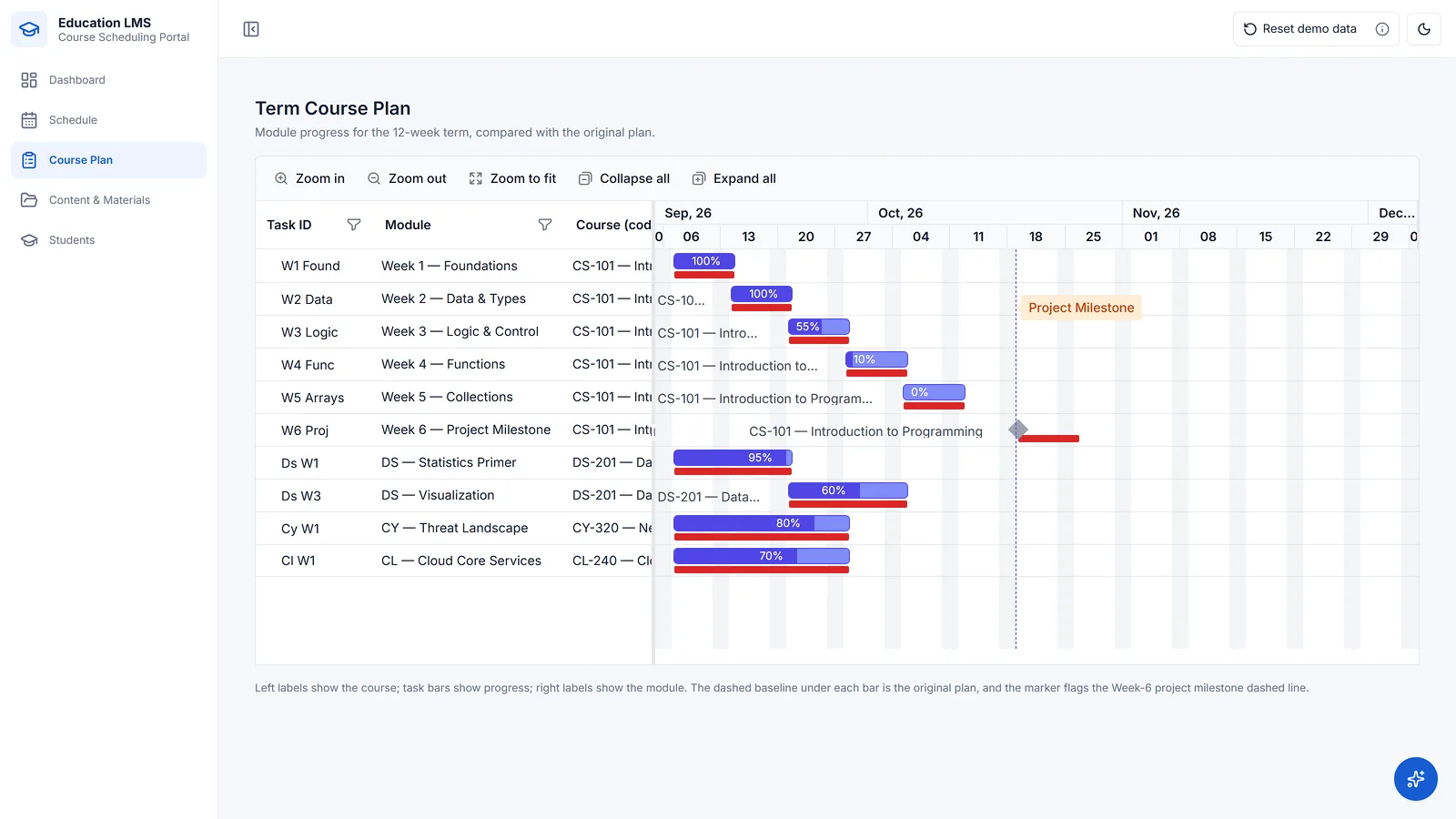
- Follow the term course plan: inspect module tasks, progress, baselines, and the Week-6 project milestone in the Gantt chart.
- Maintain the student roster: filter by Enrolled, At-Risk, or Withdrawn, review attendance and completion progress, and edit records.
- Organize content and materials: browse, search, sort, rename, and delete term materials in the file manager.
- Ask the AI assistant: open the drawer on any page and ask about the schedule, roster, or term metrics; responses are simulated and can be stopped.