
JSON/XML to Diagram Visualizer
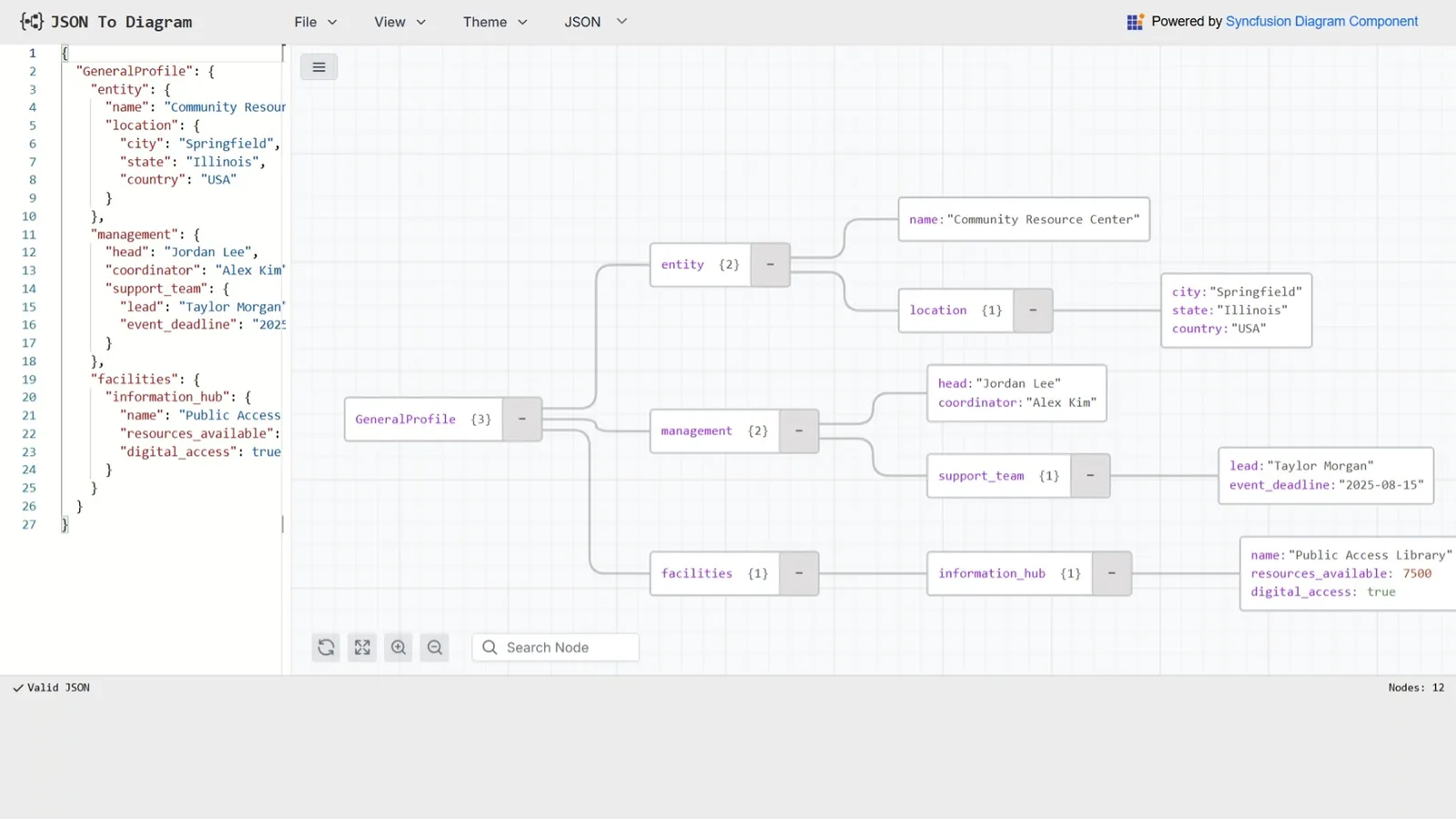
Turn raw JSON or XML into an interactive, hierarchical diagram for understanding structure at a glance. Built with Diagram for parsing, validating, and visualizing nested data.
Available demo platforms
Live demos are available for the following platforms.


Components used
Available source platforms
Source code is available for the following platforms.


Overview
Business problem
Developers spend time mentally parsing deeply nested JSON and XML, which slows debugging, API integration, and data-structure reviews.
- Nested payloads are hard to read as raw text
- Relationships between objects are not obvious
- Manual inspection of large documents is error-prone
- No quick way to share a structure visually
Application goal
Provide a browser-based visualizer that turns JSON and XML into interactive hierarchical diagrams for fast structural understanding.
- Parse JSON and XML into a navigable node tree
- Validate structure and surface node counts
- Expand, collapse, and explore nested data
- Export diagrams for documentation and review
Target users
Built for developers and technical teams who work with structured data and APIs.
- Software developers and API integrators
- Backend and platform engineers
- QA and support engineers debugging payloads
- Data engineers and analysts
- Technical writers documenting schemas
Business value demonstrated
Shows how a diagram component can convert nested data into a clear visual map, accelerating debugging and integration work.
- Faster comprehension of complex structures
- Quicker debugging of API payloads
- Fewer integration errors through clarity
- Shareable, exportable structure diagrams
- Zero-install, embeddable web experience
Main workflows
Core workflows supported by the JSON/XML to Diagram Visualizer application.
- Paste or load JSON or XML input
- Generate an interactive hierarchical diagram
- Validate nodes and review the node count
- Expand, collapse, and navigate the structure
- Export the diagram for sharing