
Mermaid Live Editor
Write Mermaid markdown and see a rendered, interactive diagram update in real time. Built with Diagram for diagrams-as-code with live syntax validation and theming.
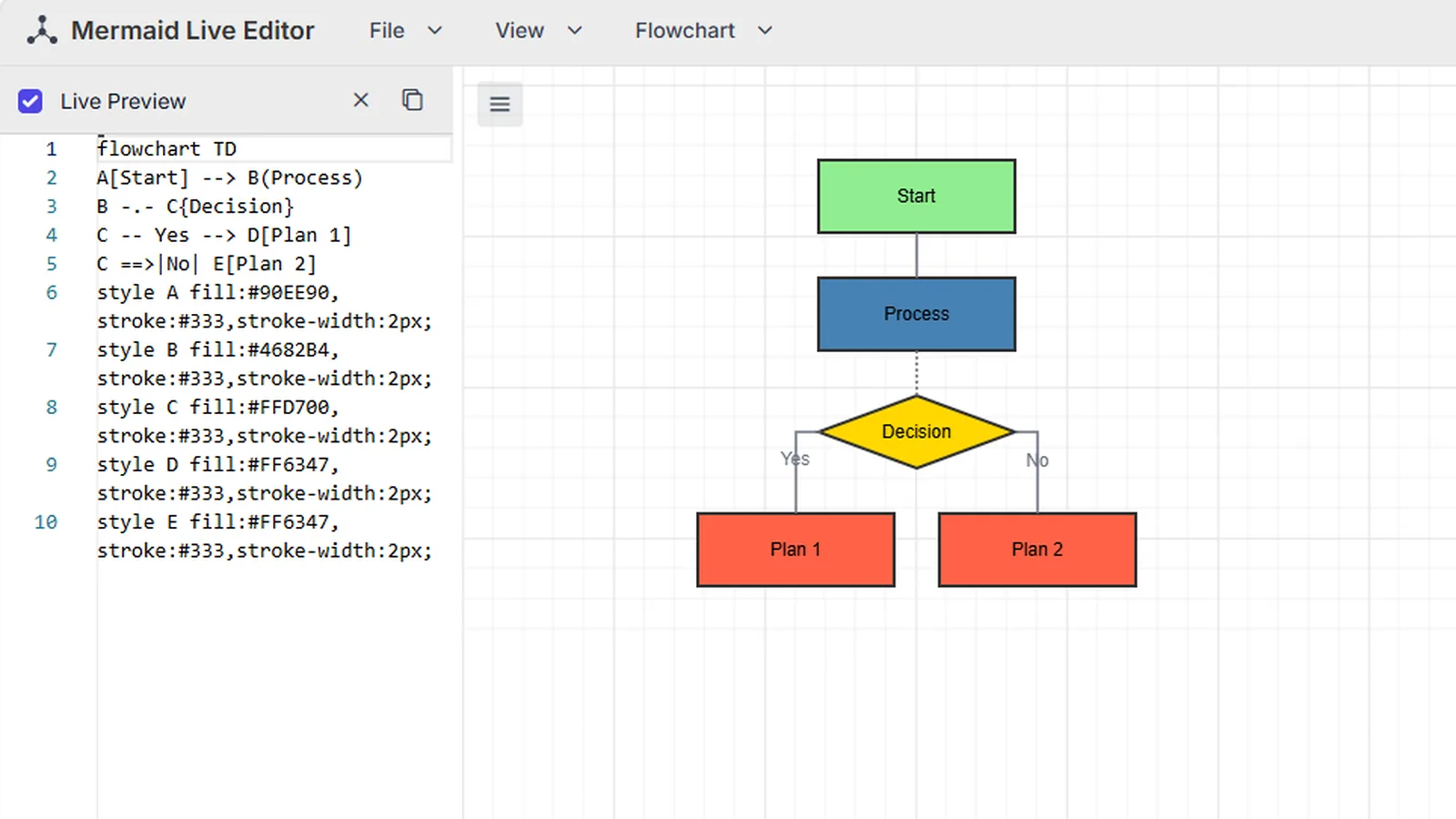
Available demo platforms
Live demos are available for the following platforms.


Components used
Available source platforms
Source code is available for the following platforms. Explore the full repository separately.
Overview
Business problem
Teams that document with diagrams-as-code need instant feedback, but switching between markdown and rendered output is slow and error-prone without live validation.
- No immediate feedback when editing Mermaid syntax
- Hard to catch invalid nodes and broken diagrams
- Inconsistent styling across diagrams
- Context switching between editor and preview tools
Application goal
Deliver a browser-based Mermaid editor with real-time rendering, validation, and theming so users can author diagrams-as-code with confidence.
- Edit Mermaid markdown with live diagram preview
- Validate nodes and syntax as you type
- Support multiple diagram types and themes
- Export finished diagrams for docs and presentations
Target users
Built for developers and technical teams who prefer authoring diagrams as code.
- Software developers and architects
- Technical writers
- Product and engineering teams
- DevOps and platform engineers
- Educators and students
Business value demonstrated
Shows how a high-performance diagram component can turn Mermaid markup into polished, interactive visuals directly in the browser.
- Faster diagram authoring with live feedback
- Fewer errors through real-time validation
- Consistent styling via built-in themes
- Reusable, exportable diagrams for documentation
- Zero-install, embeddable web experience
Main workflows
Core workflows supported by the Mermaid Live Editor application.
- Write Mermaid markdown in the code editor
- See the rendered diagram update in real time
- Validate nodes and fix syntax issues
- Apply themes and adjust the layout
- Export the diagram for reuse