
Spreadsheet Editor
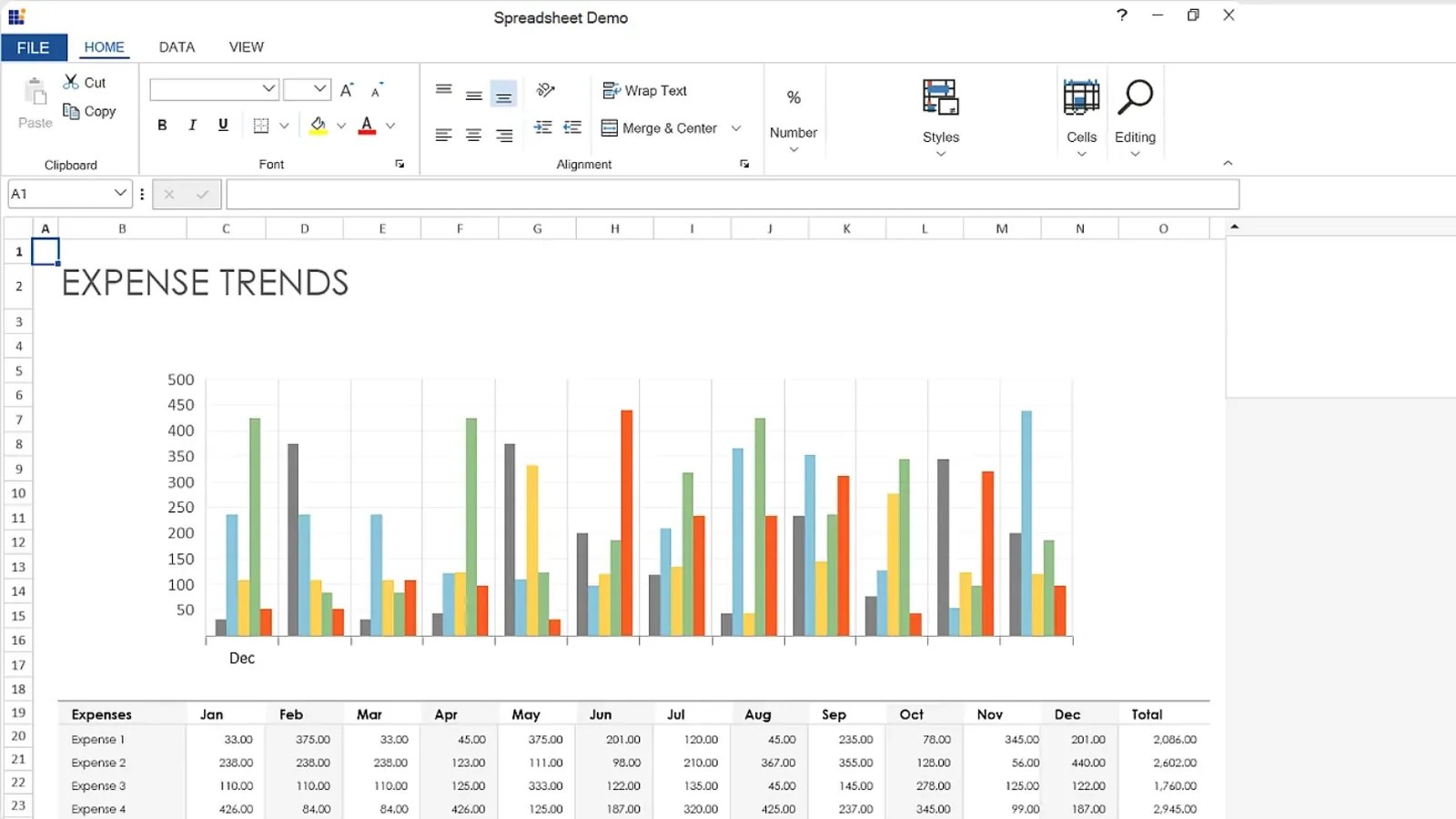
Open, edit, and save .xlsx workbooks in a familiar Excel-like experience without Microsoft Excel. Built with Spreadsheet for formula-driven workbook editing on the desktop.
Components used
Available source platforms
Source code is available for the following platforms. Explore the full repository separately.

Overview
Business problem
Teams often need powerful spreadsheet capabilities, but many applications lack the flexibility for advanced analysis and collaborative workflows.
- Complex data sets are hard to manage without advanced spreadsheet tools
- Rich formulas and consistent formatting are essential for accurate analysis
- Lightweight editors often lack Excel-compatible fidelity for everyday spreadsheet work
Application goal
Deliver a spreadsheet editor that supports accurate data entry, formula-driven analysis, and Excel-compatible file handling within a polished desktop interface.
- Provide rich formula and formatting support
- Apply conditional formatting and data validation for cleaner datasets
- Open, edit, and export workbooks in Excel-compatible formats (XLSX, XLSM, CSV, PDF, HTML)
Target users
Designed for business analysts, finance teams, and collaborative project groups who rely on spreadsheets for planning and reporting.
- Financial analysts
- Operations teams
- Data analysts
- Project managers
- Business intelligence users
Business value demonstrated
Demonstrates how comprehensive spreadsheet tools can improve decision-making, collaboration, and operational efficiency.
- Faster, more accurate data analysis
- Reduced manual spreadsheet effort
- Reliable, Excel-compatible file handling for day-to-day reporting
Main workflows
Core workflows supported by the Spreadsheet Editor application.
- Edit and format data in a spreadsheet interface
- Apply formulas, conditional formatting, and data validation
- Import charts, pictures, and textboxes into worksheets
- Open, save, and export workbooks in Excel-compatible formats