
Visual Studio-like IDE
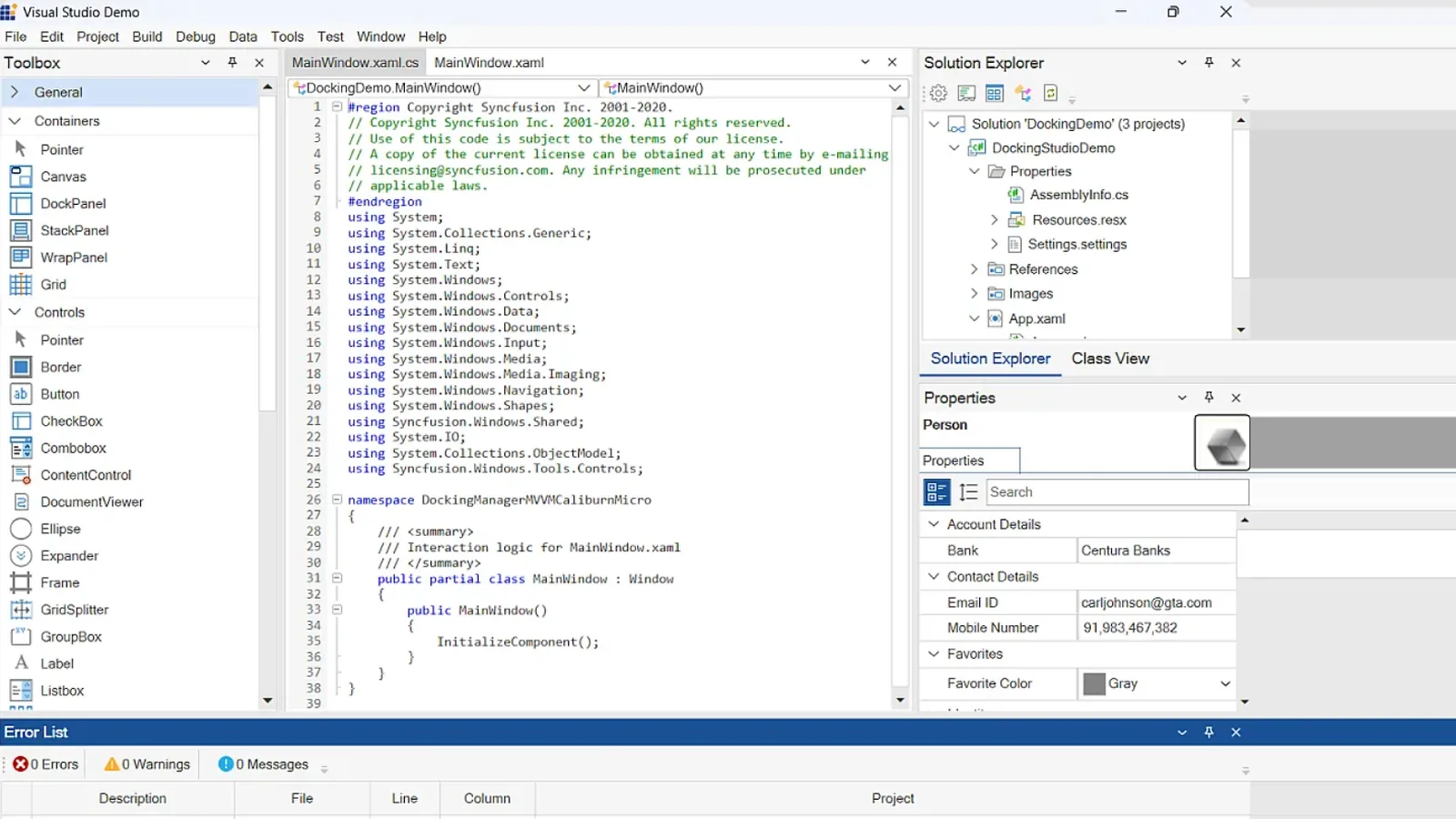
Recreate a full developer workspace with code editing, dockable tool windows, and project navigation in one desktop app. Built with EditControl, Docking, PropertyGrid, and DataGrid for an IDE experience.
Components used
Available source platforms
Source code is available for the following platforms. Explore the full repository separately.

Overview
Business problem
Building a professional IDE-style desktop app means recreating Visual Studio's dense, multi-panel interface—dockable tool windows, a syntax-highlighting editor, solution navigation, and property panels—which is hard to assemble from scratch.
- Multi-panel IDE layouts are complex to build and keep responsive
- Code editing needs syntax highlighting and language awareness
- Developers expect a familiar solution explorer, properties, and output panels
- Tool windows must dock, float, and rearrange flexibly
Application goal
Demonstrate a Visual Studio-like IDE shell built entirely with Syncfusion WPF controls, with a syntax-highlighted code editor, dockable tool windows, and familiar navigation panels.
- Recreate the VS shell with dockable, rearrangeable tool windows
- Provide a syntax-highlighted C#/XAML code editor
- Offer solution explorer, properties, toolbox, and class views
- Surface error list, find results, and output panels
Target users
Designed for software developers, engineering teams, and technical leads who want to evaluate an IDE-style desktop experience built with Syncfusion WPF controls.
- Application developers
- WPF and desktop app engineering teams
- Software architects and technical leads
- Teams building IDE or tooling-style interfaces
- Developers evaluating Syncfusion WPF controls
Business value demonstrated
Shows how Syncfusion WPF controls can deliver a polished, professional IDE-grade desktop experience.
- Familiar, productive Visual Studio-style layout
- Rich code editing with syntax highlighting
- Flexible docking for multi-tool workflows
- Structured error, find, and output panels
Main workflows
Key workflows supported by the Visual Studio-like IDE application.
- Navigate project files through the solution explorer
- Edit C# and XAML code with syntax highlighting
- Inspect and edit object properties in the properties panel
- Review errors, find results, and build output in docked panels
- Rearrange tool windows via drag-and-dock