
Workflow Editor
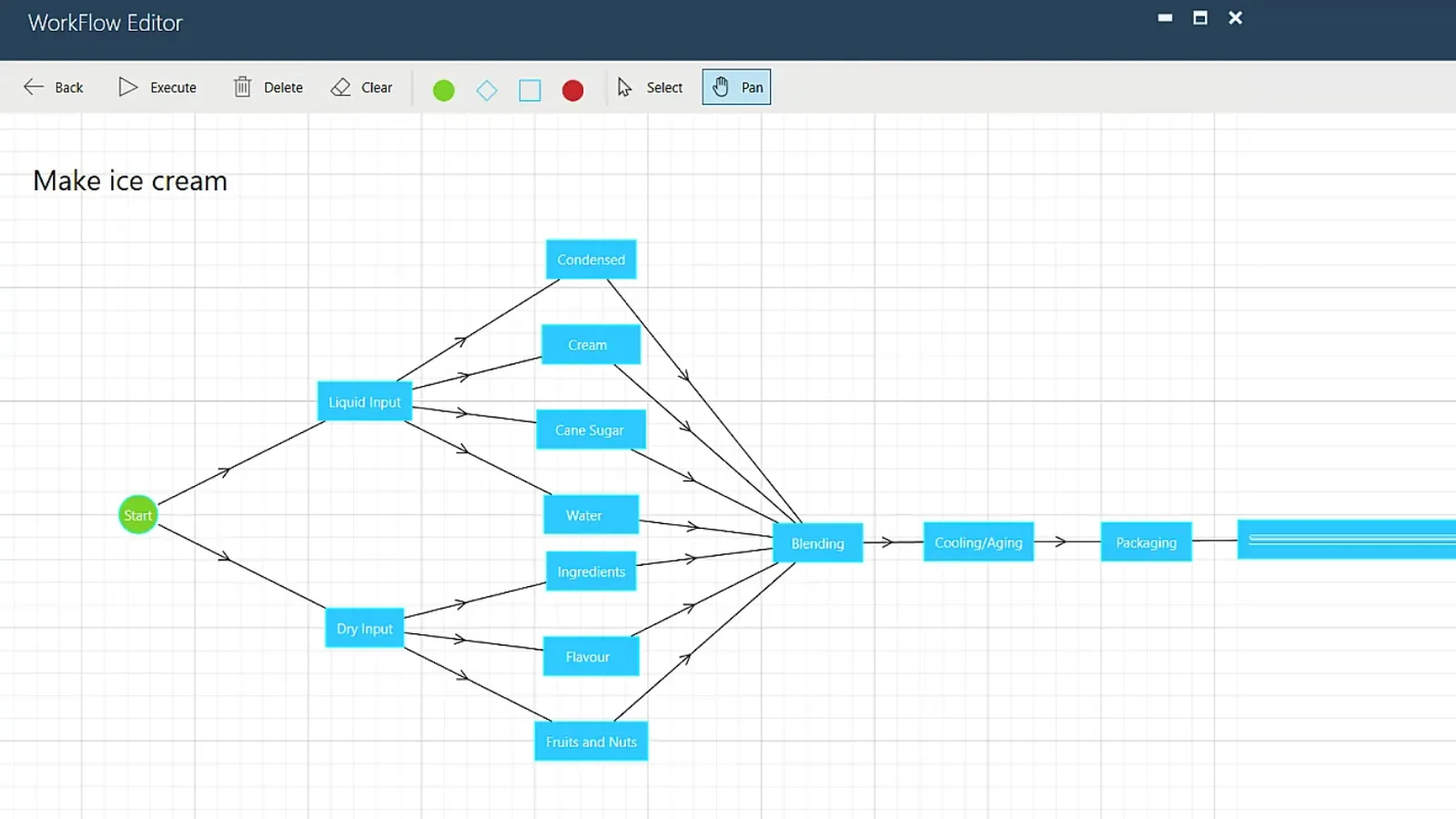
Build and configure workflow diagrams on a drag-and-drop canvas with ready-made shapes. Built with Diagram and Symbol Palette for modeling business processes step by step.
Components used
Available source platforms
Source code is available for the following platforms. Explore the full repository separately.

Overview
Business problem
Teams need to model and communicate business processes visually, but building clear, editable workflow diagrams from scratch is difficult without the right diagramming tools.
- Processes are hard to communicate without a visual diagram
- Building and connecting workflow shapes manually is tedious
- Editing node details and layout needs an intuitive interface
- Reusable shape libraries speed up diagram creation
Application goal
Provide a visual workflow editor where users design process diagrams on a drag-and-drop canvas using a palette of ready-made shapes.
- Lay out workflow steps on an interactive diagram canvas
- Drag ready-made shapes from a symbol palette
- Connect steps to define process flow and decisions
- Edit node properties to configure each step
Target users
Designed for people who map and document business processes and workflows.
- Business process analysts
- Operations managers
- Project managers
- Enterprise architects
- Teams documenting standard operating procedures
Business value demonstrated
Shows how a diagramming component can turn complex processes into clear, editable visual workflows.
- Clearer visibility into process steps and decisions
- Faster diagram creation with a reusable shape palette
- Easy configuration through node property editing
- Professional, presentation-ready process diagrams
Main workflows
Core workflows supported by the Workflow Editor application.
- Drag workflow shapes from the palette onto the canvas
- Connect shapes to define the process flow
- Edit node properties and labels
- Style nodes and arrange the diagram layout
- Export or reuse the finished workflow diagram